Why Tartan

GoPhish for Schools: What the Free Tool Leaves to You

GoPhish is free and open source. The rest is on your team: running the server, setting up mail sending, adding staff by hand or from a CSV file, and writing or importing every phishing email. Tartan App handles all four, and $191 a year covers a district with one school.

Free onboarding. Same-day support via email, phone, or video call.

What You Pay

GoPhish costs $0 under the MIT license, and your school supplies the server, the mail relay, and the staff time. With Tartan, $191 a year covers a district with one school: phishing simulations, staff videos, and the report button with Threat Manager.

Transparent pricing and no expensive onboarding fees. Compare security awareness training prices across vendors.

See Tartan's Prices for 1 to 10 Schools.

Built for schools

  • Automated phishing simulations tailored to district services.
  • Adaptive difficulty and instant micro-training on every click.
  • A growing library of school-friendly training content for staff and students. New videos are added regularly based on customer requests.

Why Tartan wins

What Running GoPhish Takes

These are the jobs GoPhish leaves to your team, and what Tartan does for each one.

  • Hosting Your Own Server

    GoPhish is a program you download and run on your own server. The links in its phishing emails point back to that server, so staff have to be able to reach it when they click. Tartan runs in the cloud, so there's no server to host, and most schools are set up in under 30 minutes.

  • Mail Sending and Filter Rules

    GoPhish sends through an SMTP relay you configure, and its FAQ suggests allowlisting the server's IP address during tests. Tartan delivers simulations straight into Google Workspace and Microsoft 365 inboxes, so allowlisting usually isn't needed.

  • Staff Lists by Hand or CSV

    In GoPhish, you add people to groups one at a time or from a CSV file. Tartan syncs staff from Google Workspace OUs and groups, or from Microsoft 365 groups and departments.

  • Writing Every Phishing Email

    In GoPhish, you create or import each template in an HTML editor. Tartan's simulations are tailored to the services your school uses, with AI-generated templates and adaptive difficulty.

Comparison

Side-by-Side Comparison

A clear view of where Tartan fits K-12 needs compared with GoPhish.

Built For
TartanOnly K-12: districts, school boards, and independent, charter, and faith-based schools
GoPhishAny organization; "completely free for anyone to use," per its docs
Cost
Tartan$191 a year for a district with one school: phishing simulations, staff videos, and the report button. Prices for 1 to 10 schools are public
GoPhishFree and open source (MIT license). You supply the server, the mail relay, and the staff time
Setup
TartanMost schools are set up in under 30 minutes, with free onboarding
GoPhishDownload and run it on your own server, which staff must be able to reach. The admin panel uses a self-signed certificate by default
Staff List
TartanSynced from Google Workspace or Microsoft 365
GoPhishAdded by hand or uploaded from a CSV file
Email Delivery
TartanStraight into Google Workspace or Microsoft 365 inboxes; allowlisting usually not needed
GoPhishThrough an SMTP relay you configure. GoPhish's FAQ suggests allowlisting its server's IP for tests
Phishing Templates
TartanTailored to the services your school uses, with AI-generated templates and adaptive difficulty
GoPhishYou create or import each template in an HTML editor
Campaign Timing
TartanOne email per person on a 15, 30, 60, or 90-day cycle, at a random time
GoPhishCampaigns launch right away or on a schedule you set
After a Click
TartanMicro-training in under 30 seconds that shows how to avoid clicking next time
GoPhishA landing page you build, which can redirect to another site
Training Content
Tartan60+ short, school-friendly videos, each ending in a quick quiz
GoPhishNo training videos in GoPhish's user guide (as of Oct 2026)
Student Training
TartanStudent Phishing & Video Training, with a published price per school
GoPhishNot in GoPhish's user guide (as of Oct 2026)
Report Button
TartanTartan App Shield in Gmail and Outlook
GoPhishNo email add-on yet, per its docs. It can check a reporting mailbox over IMAP for its own simulation emails
Reported Emails
TartanReports go to Threat Manager for review and triage, and Tartan can remove reported threats from inboxes
GoPhishTracks reports of its own simulation emails only
Gamification & Leaderboards
TartanPoints for training, quizzes, simulations, and threat reports, plus a shareable Cybersecurity Leaderboard.
GoPhishNot in GoPhish's user guide (as of Oct 2026)
Google Workspace Security Audit
Tartan100+ automated checks for your Google Workspace configuration every week, plus 30+ guided manual checks, with a prioritized list of findings and recommended remediation steps.
GoPhishNot in GoPhish's user guide (as of Oct 2026)
Breach Notifications
TartanMonitors school email addresses and alerts admins when newly listed breaches affect staff, student, or shared accounts.
GoPhishNot in GoPhish's user guide (as of Oct 2026)

Comparison details can vary based on plan and configuration. Contact us for a tailored assessment.
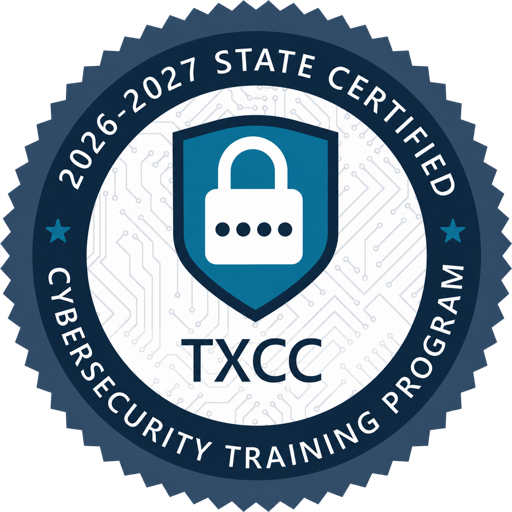
Texas Cyber Command 2026–2027 State-Certified Cybersecurity Training Program seal

Texas State-Certified Cybersecurity Training

Texas Cyber Command certified Tartan App’s cybersecurity awareness training program for the 2026–2027 program year.

K-12 proof

Real Outcomes from Districts Like Yours

Measured result

Between July and October 2026, Verona Area School District staff reported 152 suspicious emails with Tartan App Shield.

Testimonial

"The problem was that everything created entirely by us for every campaign took precious time away from our other responsibilities in the district."

Jason Rubo, Director of Technology and Digital Learning, Verona Area School District

Contact us

Ready to See Tartan in Action?

Get a personalized walkthrough and see how Tartan fits your district's security awareness goals.

FAQs

Common Questions

Is GoPhish really free?

Yes. GoPhish is open source under the MIT license, and its docs call it "completely free for anyone to use." You still need a server to run it on, an SMTP relay to send through, and time to build each campaign. Tartan's prices for 1 to 10 schools are on our pricing page.

Is GoPhish still updated?

The latest GoPhish release is v0.12.1, published September 14, 2022. The last commit to its GitHub repository was on September 23, 2024 (as of October 2026).

Does GoPhish have a report button for Gmail or Outlook?

Not yet. GoPhish's docs say it doesn't have email extensions or add-ons for reporting. It can check a mailbox over IMAP for reported simulation emails. Tartan App Shield adds a report button to Gmail and Outlook, and every report goes to Threat Manager.

Does GoPhish include training videos?

GoPhish's user guide has no training content. Its landing pages can send people to another website after they submit a form, so the training has to come from somewhere else. Tartan includes 60+ short videos and micro-training after a click.

Can GoPhish sync staff from Google Workspace?

GoPhish's user guide covers adding people by hand or from a CSV file and lists no Google Workspace or Microsoft 365 sync. Tartan syncs staff from Google Workspace OUs and groups, or from Microsoft 365 groups and departments.