Platform

Platform Overview

Give school IT teams one place to run staff and student phishing simulations, deliver short training, track risk, review reported email threats, audit Google Workspace security settings, and remove malicious emails from every inbox in one click.

Trusted by K-12 schools and districts

  • Bagley School District 162
  • Berea City School District
  • Bernard Zell Anshe Emet Day School
  • Bishop Guertin High School
  • Browns Valley Public School
  • Cabool R-IV School District
  • Chicago Jewish Day School
  • Freedom Area School District
  • Fruitport Community Schools
  • Glenview School District 34

Phishing Simulation for School Employees

Run continuous phishing simulations for staff using realistic scenarios tied to the tools and workflows employees use every day.

  • Automate campaigns on a 15, 30, 60, or 90-day cadence.
  • Difficulty adapts to each employee's previous behavior.
  • Deliver under-30-second micro training immediately after a click.
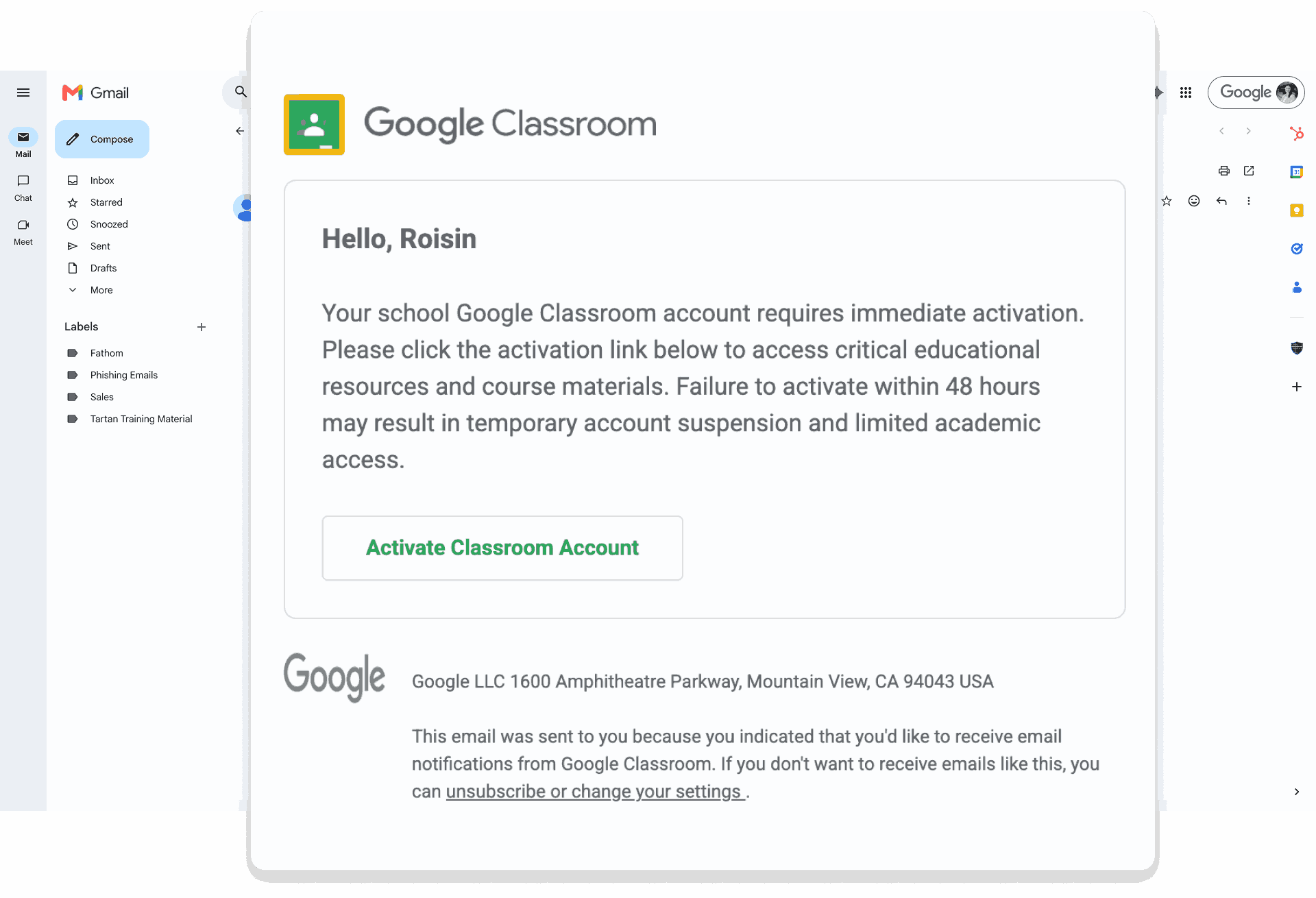
Tartan App staff phishing simulation shown in Gmail with a Google Classroom-themed email.

Phishing Simulation for Students

Deliver age-appropriate student simulations designed to build safe habits early while giving IT teams clear visibility into student risk patterns.

  • Use student-focused simulation scenarios and training flows.
  • Monitor trends by school, grade, or other criteria.
  • Support continuous cybersecurity and digital citizenship learning.
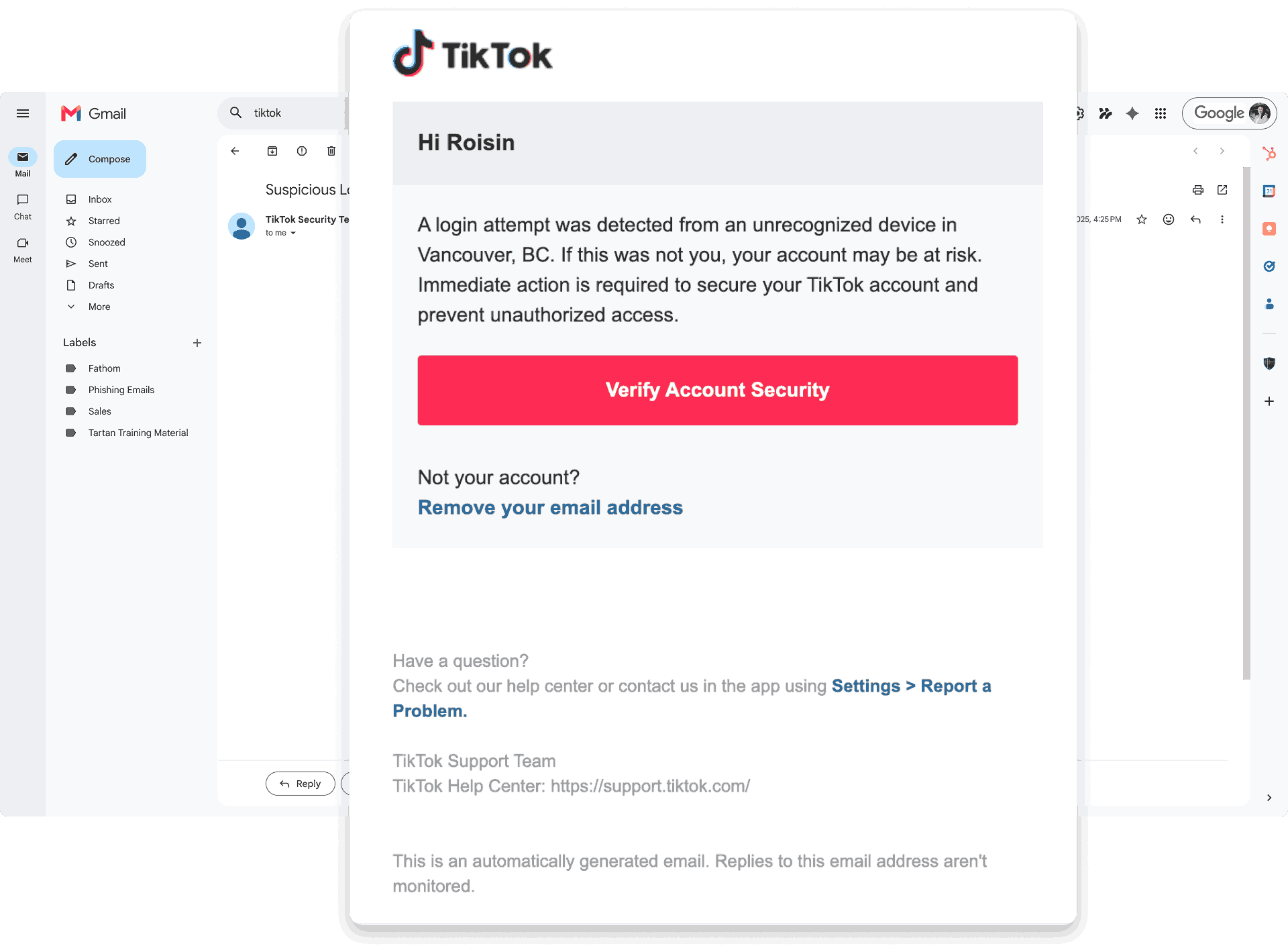
Tartan App student phishing simulation shown in Gmail with a TikTok-themed email.

Video Training for Staff and Students

Provide short, school-friendly training videos that reinforce phishing awareness without pulling staff and students into long courses.

  • Share relevant videos with both staff and student audiences.
  • Expand learning beyond phishing clicks with ongoing awareness topics.
  • Access a growing library with new videos added regularly.
  • Track completion data alongside simulation outcomes.
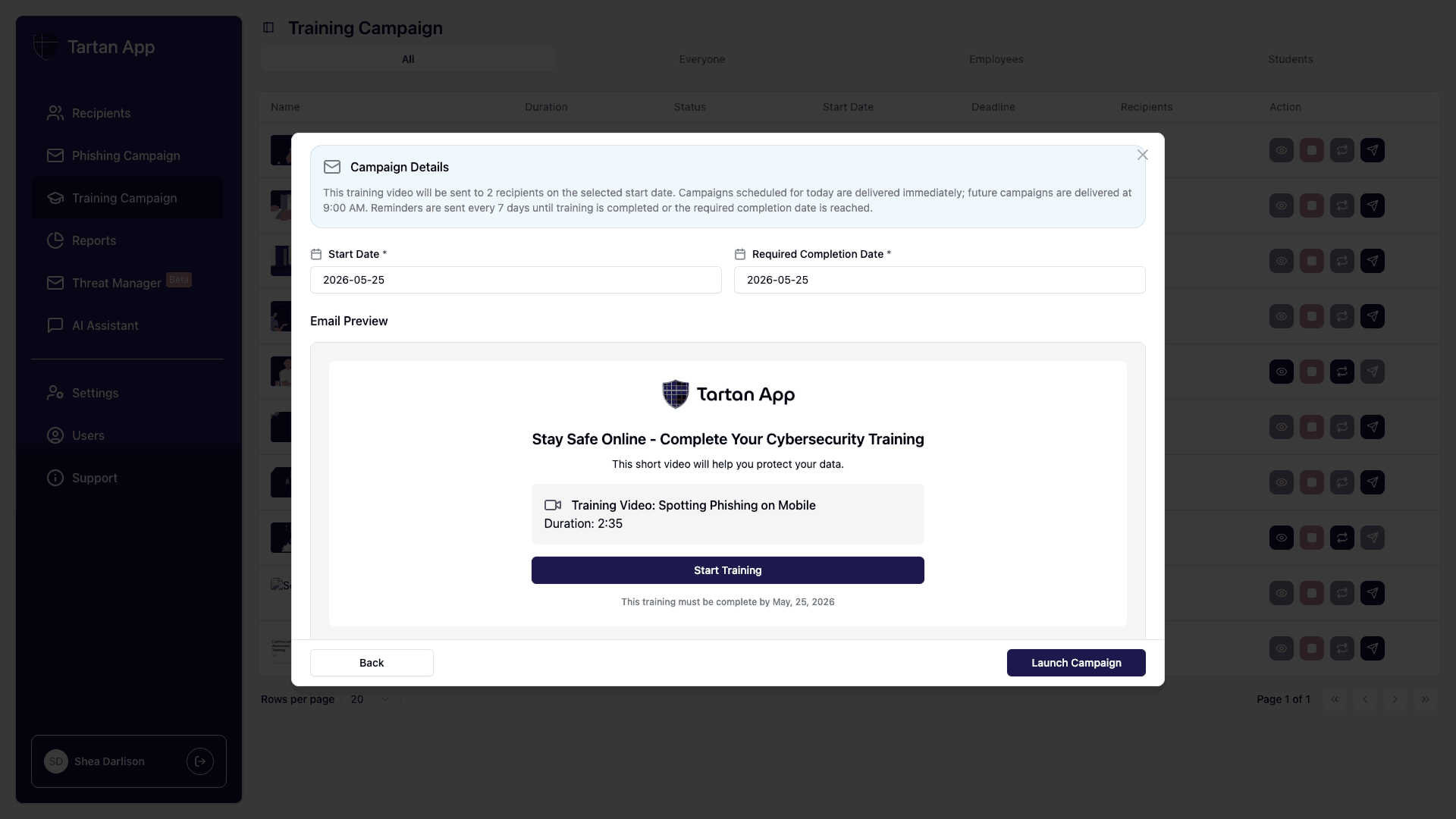
Tartan App video training campaign preview for staff and students.

Reporting and Analytics Dashboard

Give IT directors and leadership teams across schools and districts a clear operational view of cybersecurity awareness performance.

  • Track click rates, report rates, and training participation trends.
  • Filter by school, department, and other criteria for detailed analysis.
  • Export reports for leadership meetings and board updates.
  • Use risk data to prioritize support and communication.
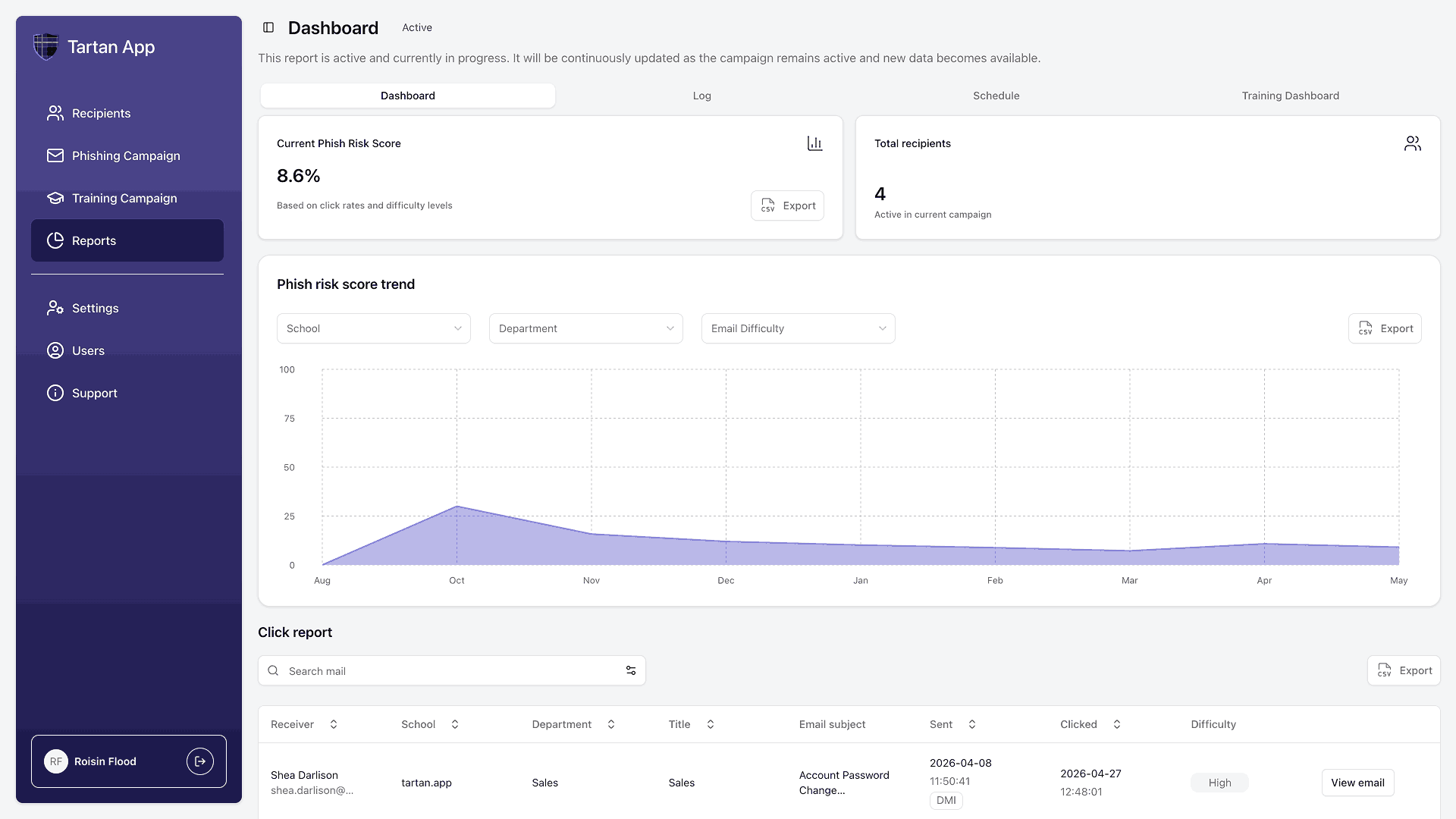
Tartan App reporting and analytics dashboard showing phish risk trends and click reports.

Tartan App Shield: Phish Report Button

Provide a one-click way to report suspicious emails directly from the inbox.

  • Reduce reporting friction and increase user participation.
  • Centralize reported email intake for IT review.
  • Track reporting behavior to measure culture improvement.
  • Route reported messages into Threat Manager workflows.
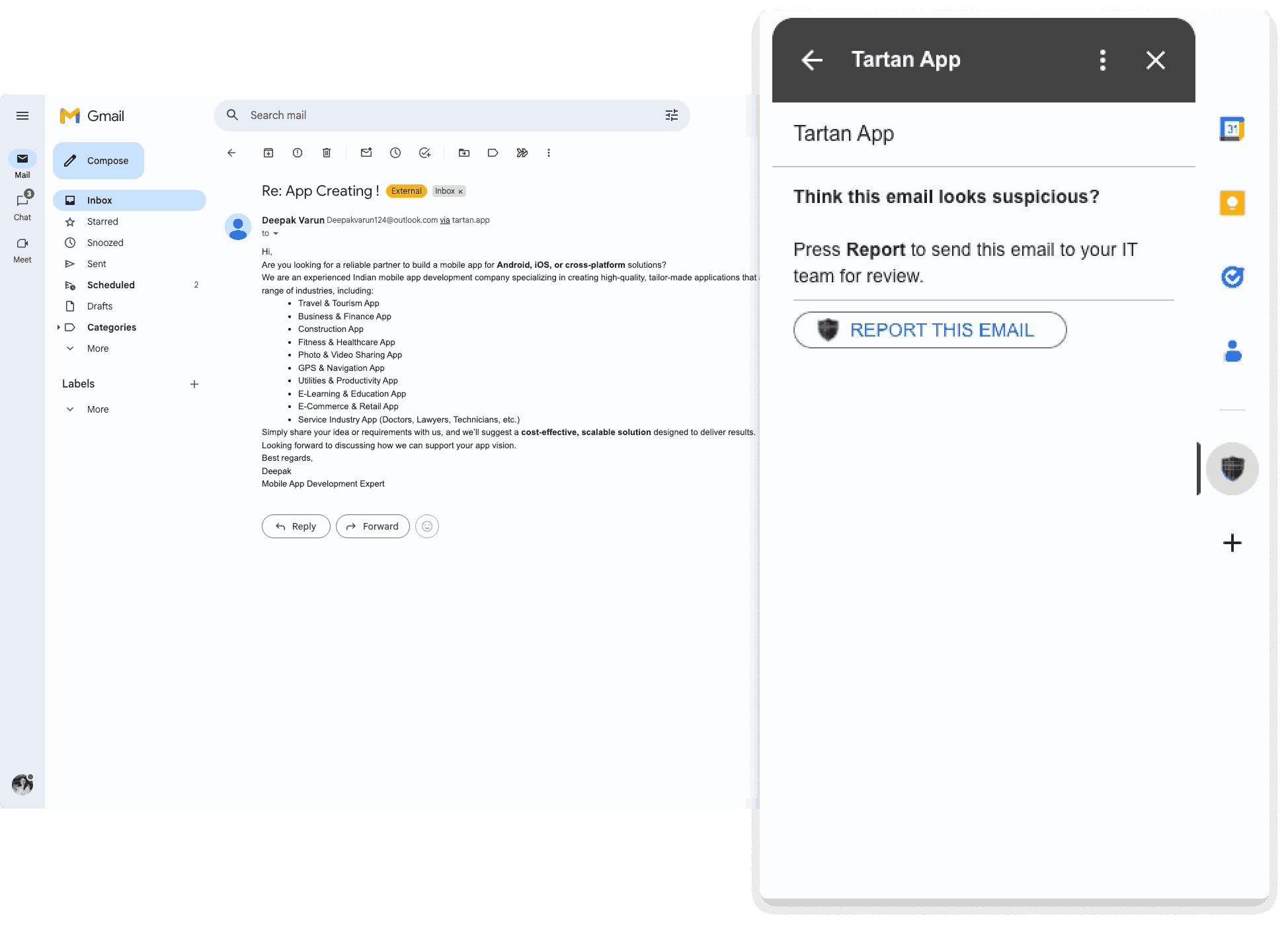
Tartan App Shield phish report button shown inside Gmail.

Threat Manager

Centralize reported email triage and response in one queue so schools and districts can move faster from report to action.

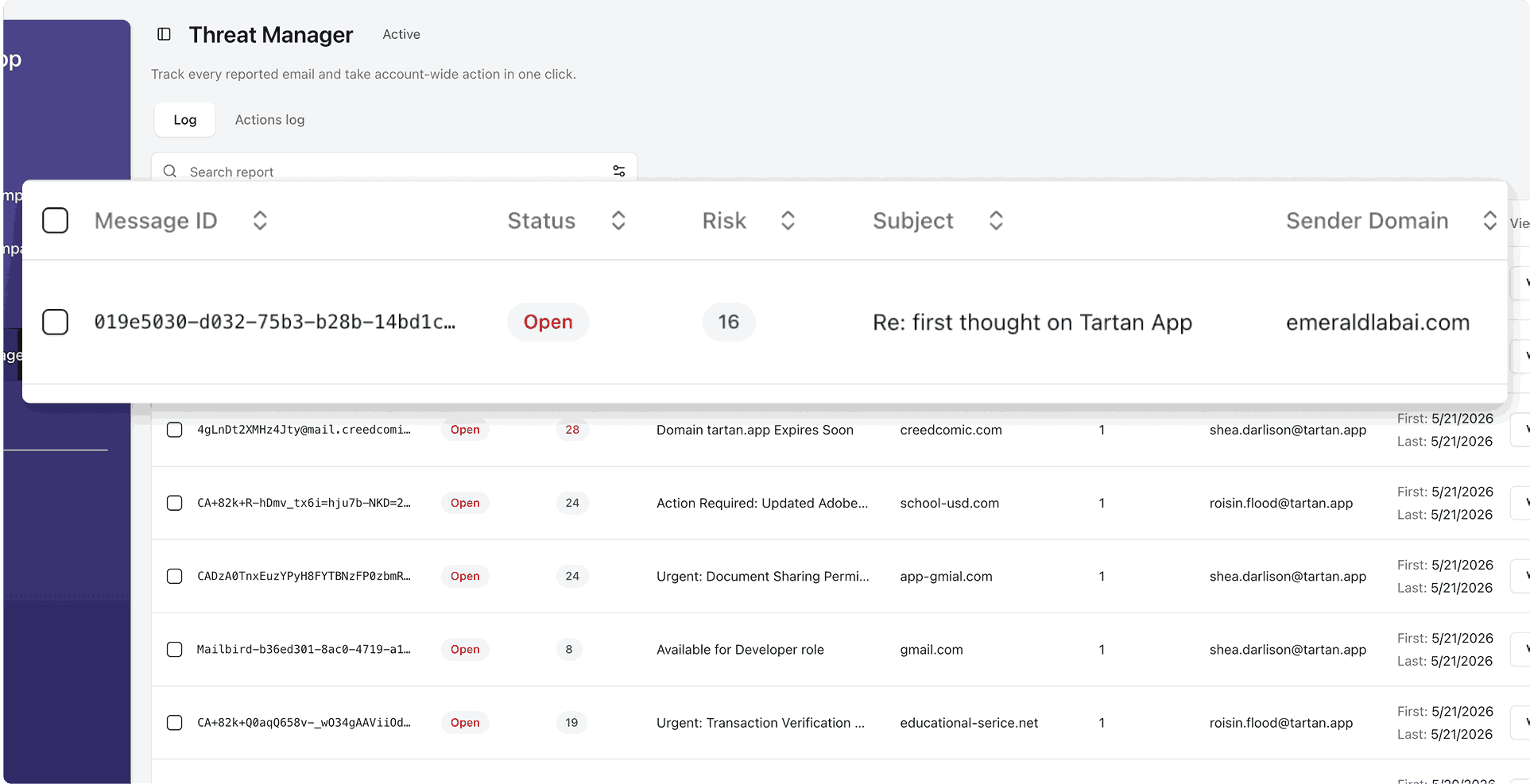
  • Review reported messages in a single operational queue.
  • Prioritize and categorize threats for faster handling.
  • Remove reported threats from all of your accounts instantly.
  • Leverage an AI agent to automate managing threats.
Tartan App Threat Manager dashboard showing a queue of reported emails.

Google Workspace Audit

Continuously review Google Workspace configuration so school IT teams can find security gaps and see practical remediation steps.

  • Connect to Google Workspace with read-only OAuth.
  • Scan configuration every week against 150+ security best practices.
  • See 40+ checks that can be completed manually.
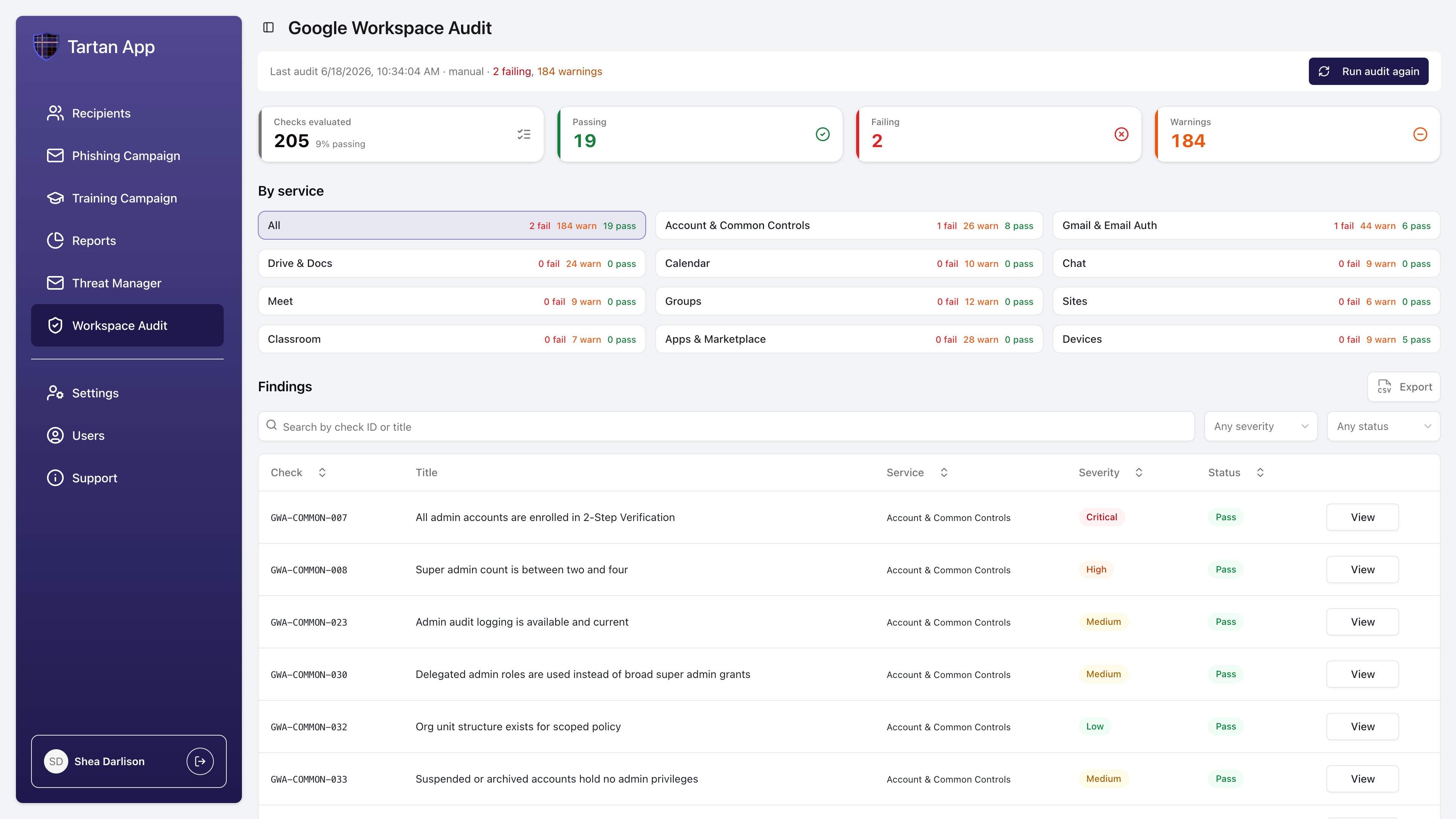
  • Surface issues in a dashboard with findings and remediation guidance.
  • Help administrators prioritize Google Workspace hardening work.
Tartan App Google Workspace Audit dashboard showing checks evaluated, passing checks, failing checks, warnings, and prioritized findings.

Gamification & Leaderboards

Coming Soon

Increase engagement with positive reinforcement tools that encourage consistent participation across schools and departments.

  • Highlight progress with school- or department-level leaderboards.
  • Recognize healthy security behavior through visible milestones.
  • Support a culture shift from punitive training to participation.
  • Track engagement momentum across schools and districts.

FAQs

Platform FAQs

How much manual work is required after setup?

Guided onboarding helps your team get configured, then campaigns can run on an automatic 15, 30, 60, or 90-day cadence. Most teams focus on reviewing results and taking targeted follow-up actions.

Can we roll out to staff first and add students later?

Yes. Many districts start with staff phishing simulations and training, then add student simulations or student video training when they are ready.

What can IT do with reported suspicious emails?

The Tartan App Shield Phish Report Button routes suspicious emails into Threat Manager, where IT can take one-click action across a single message, every message from the sender, or every message from the sender domain across the school or district. Actions include moving emails to spam and permanently deleting emails where permissions allow.

How does Tartan App approach training?

Tartan App is designed around short learning moments, positive reinforcement, and practical follow-up.

SAU 13 School District logo

Luke Bergeron

IT Director, SAU #13 School District

Customer perspective

"The platform keeps our staff consistently aware of the latest phishing threats and provides immediate education on how to confidently identify and report them, effectively turning our staff into a human firewall."
Read the SAU #13 case study

Ready to see the platform in your school or district context?

We will walk through your environment, priorities, and rollout goals in a live product demo.

Contact Us